lukashev.studio / software
You don’t use AU.
So why is it in your list?
Half your plugins are out of date.
You forgot you own the other half.

- 1
Hide what you don’t use
Turn off a whole format — or one brand in one format. Files move to an “Unused” folder next to the original, so your DAW stops listing them. One click brings them back.
- 2
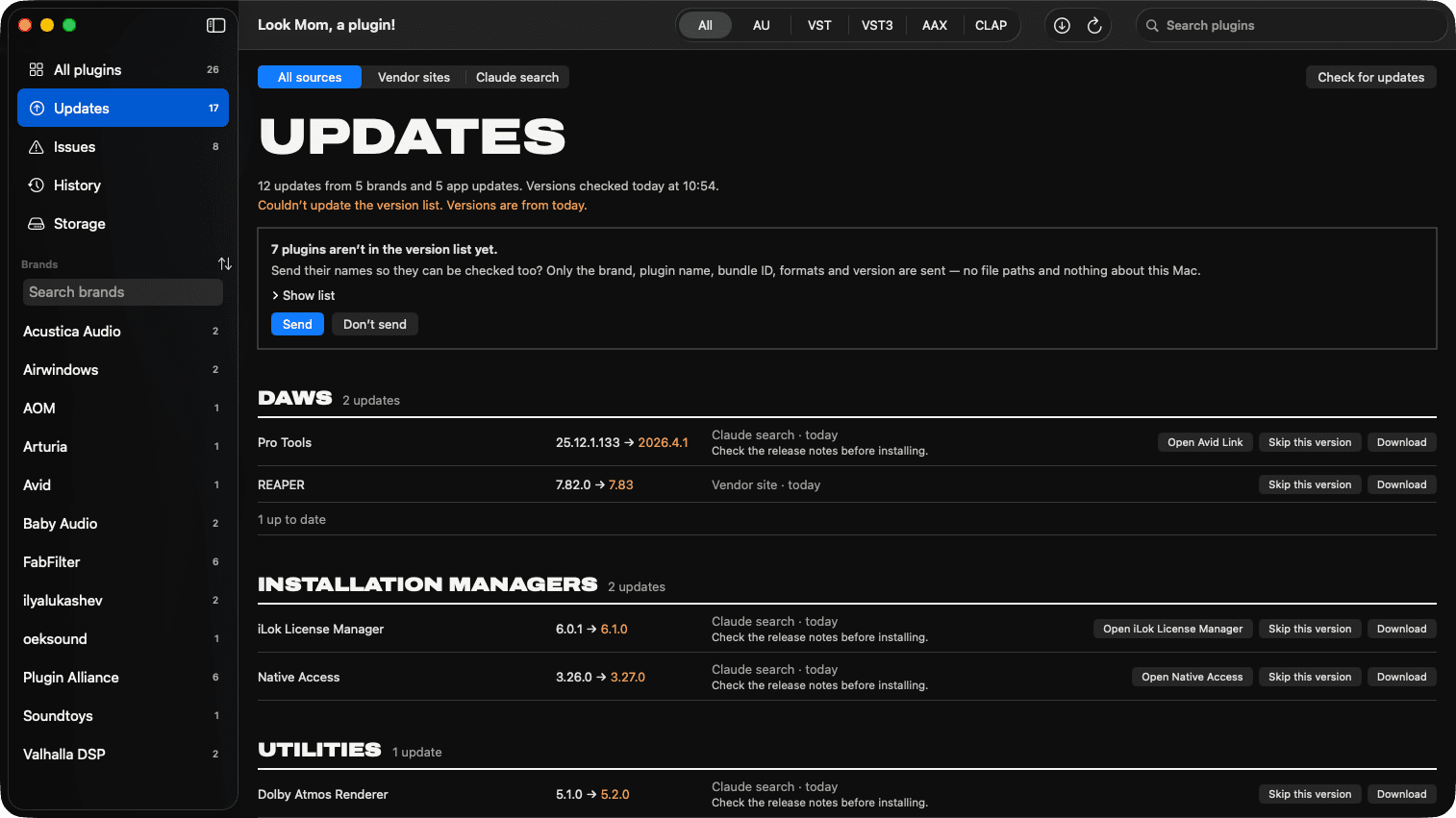
Know what to update
Versions are checked every night against vendors’ sites — plugins, DAWs, installation managers and the tools around them.
- 3
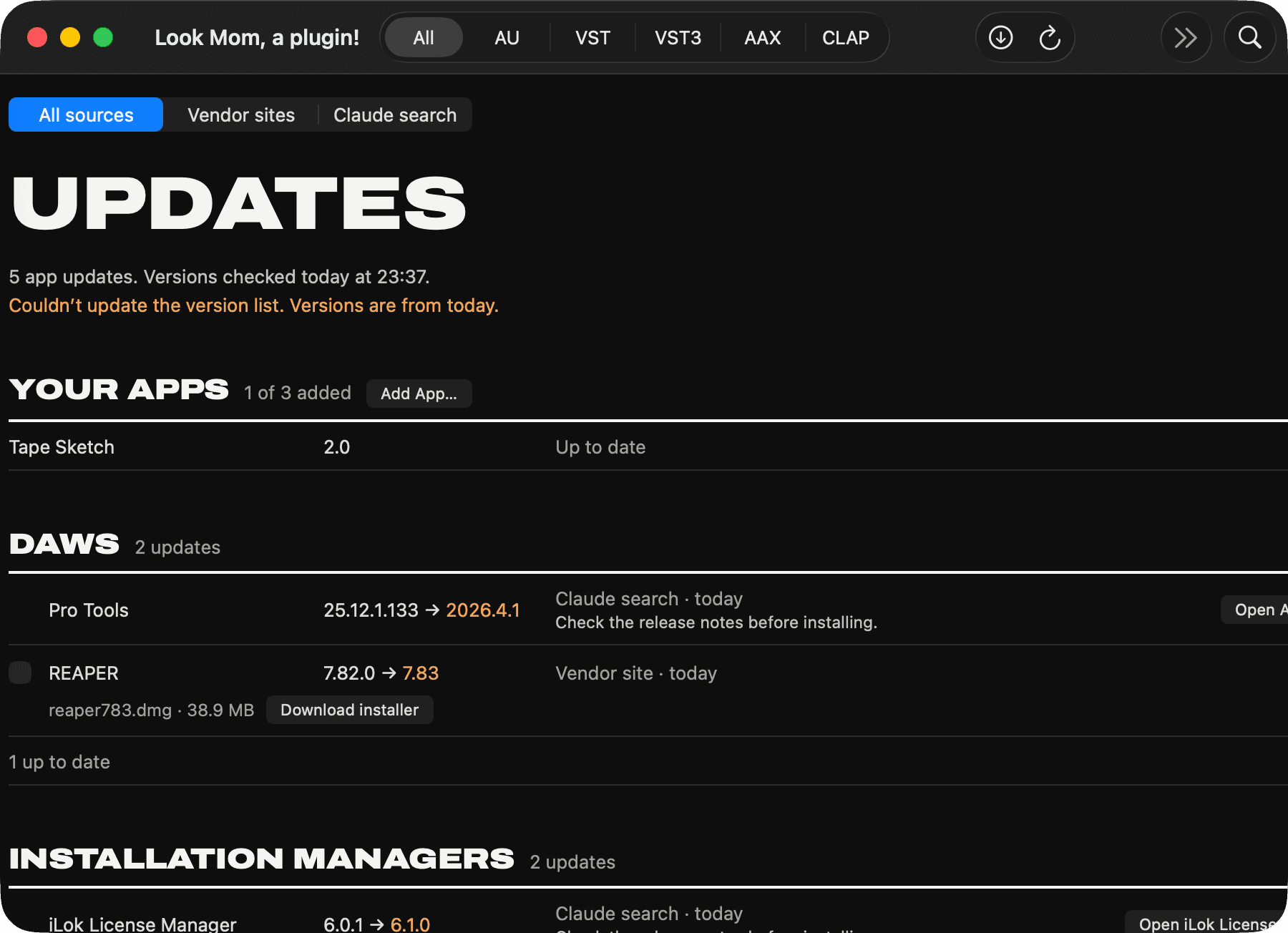
Your apps too
DaVinci Resolve, your interface’s mixer, that one utility nobody else uses. Add any app and it gets checked with the rest.
- 4
See everything you own
Every plugin, grouped by brand. Installed twice, broken, Intel-only — all in one list, with how much space it takes. Export it as CSV, plain text or XML.
- 5
Nothing gets deleted
Every move is logged in History and can be undone. Trash means the macOS Trash, not gone.
- 6
Free, $30 once, or $8 a month
Feature Free $30 once $8 a month See every plugin, problems, storage Yes Yes Yes How many updates are waiting Yes Yes Yes Which plugins to update, and to what — 2 years While subscribed Move, trash, undo, show in Finder — Forever While subscribed Your apps, installers in one click — 2 years While subscribed Macs per key — 3 3 macOS 14 or later. AU, VST, VST3, AAX, CLAP. Turning plugins back on is always free.
It isn’t out yet. Leave your email and you’ll hear the day it is.